2.13.2006

braille blazing

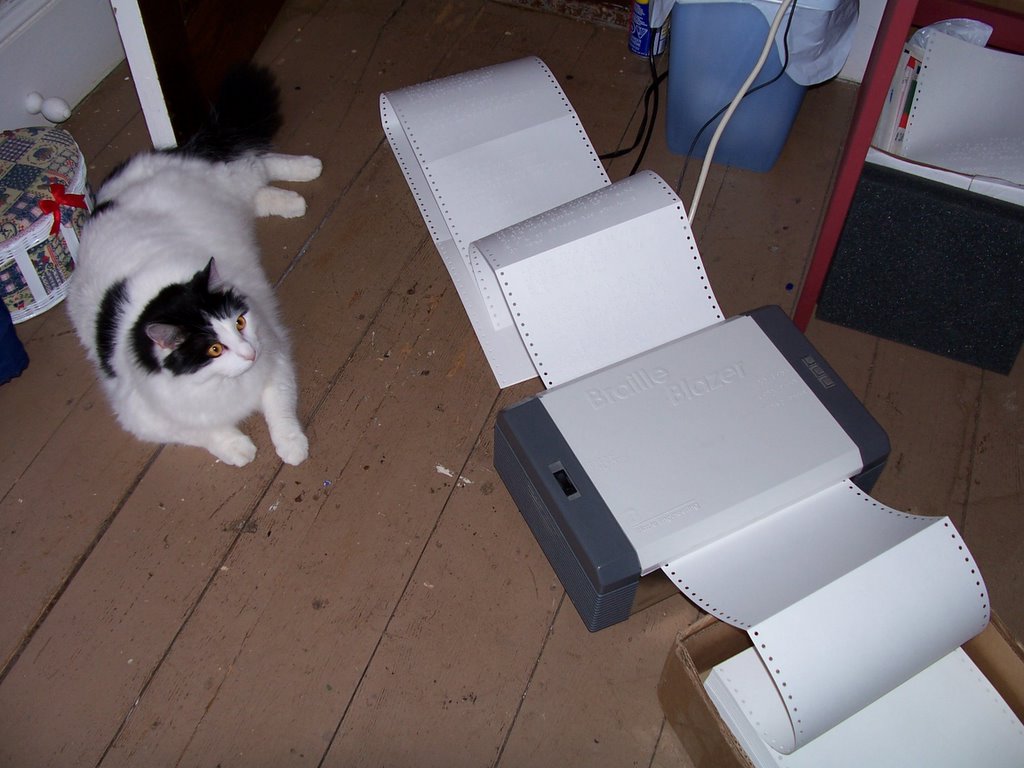
After a bit of frowning, brow furrowing and lip chewing, I finally got the Braille Blazer successfully working in my little 'work' room at our house.
"At home?" you say. "Why not at the office?"
"Because," I reply. "It's too noisy for anyone in my building to work when it's embossing, since I have a wide open cubicle where nine other people can hear everything I do or say. People 'on the other side' thought I was popping corn in an air popper."
So now the process is as follows:
1. Scan document into office computer.
2. Proof and format in Duxbury at office.
3. Save to disk I hope desperately not to lose (memory stick as soon as they get some in)
4. Make sure disk arrives home safely.
5. Open document on laptop prone to freezing.
6. Emboss away and hope that no one phones, since the ringing would probably go unheard.

At least Virgil likes it being at home.

SNOW DAY!

What every teacher lives for. Not because I dislike my job, but in what other profession do you get surprise days off? All winter long it's like a weather lottery, and on days like today, my number is finally picked!

The only trouble with snow days (I'm not complaining) is that I get so excited when I hear the announcement that I can't go back to sleep. That's why it's 6:46am and here I am at the computer. I thought that schools might be closed, so I had been waking up on and off since 5:00, probably driving Adam crazy. I thought it would be best for everyone if I just got up.

Now to figure out how to best spend my day...

2.12.2006

Winter wonderland

We're in the middle of a lovely blizzard-y day in NS, and I have some pumpkin chocolate chip cookies in the oven. I got the recipe from allrecipes.com, my favourite recipe site. It's a cookie with perfect texture, and they are SO good cold.

Things that people generally don't know exist (meaning I didn't) but that make things easier when you do:

1. When using Mozilla Firefox, if you press Ctrl+F, a cute little 'find' bar appears at the bottom of the screen. Type in what you're looking for on the page, and it takes you there.

2. In WordPerfect, when making invitations or other fun paper things, click on format, paragrah, drop cap, and you can get a giant first letter for your paragraph, a la first paragraph of a chapter.

3. When using the braille blazer to emboss documents, press F4 at the top of the document and it widens the margin so you can easily hole punch or bind the pages. (I learned this one today!)

2.09.2006

Freshly groomed

A freshly groomed Virgil What a face! He's certainly not a talking beast, but he is entertaining.